OneVerse Work · for organisations
Be in every important meeting. Without being in every room.
Equip your teams with OneVerse AI recording devices and bring their authorised business conversations, AI summaries, decisions and insights into one central organisational dashboard.
OneVerse Work
Organisation Overview
0
meetings today
0
AI summaries
0
actions surfaced
Guided demo · 30 min
See OneVerse Work for your organisation.
Tell us a little about your team. We'll show you how OneVerse devices + the Work dashboard can fit your workflows.
Capture → understand
The device listens. The AI writes it down.
The problem
Your company has hundreds of conversations.You are present in only a few.
Sales
Meeting customers
3 calls live
HR
Interviewing candidates
2 interviews live
Managers
Reviewing projects
4 reviews live
Ops
Solving problems
2 site calls live
What happens after the meeting
Said in the meeting → 0 written down
…can you send the revised quote by Friday?
Walk me through how you handled that launch.
We're two weeks behind on phase 2.
The vendor shipment slipped again.
Pricing works if we lock a 2-year term.
Let's move QA ahead of the demo.
The offer letter goes out Monday.
Their CFO wants a pilot first.
0conversations today
You joined 0
What exactly is OneVerse Work?
OneVerse for your team. One dashboard for your organisation.
OneVerse Work combines dedicated capture hardware, each employee's personal AI workspace, and an organisational layer for authorised leadership.

Hardware01
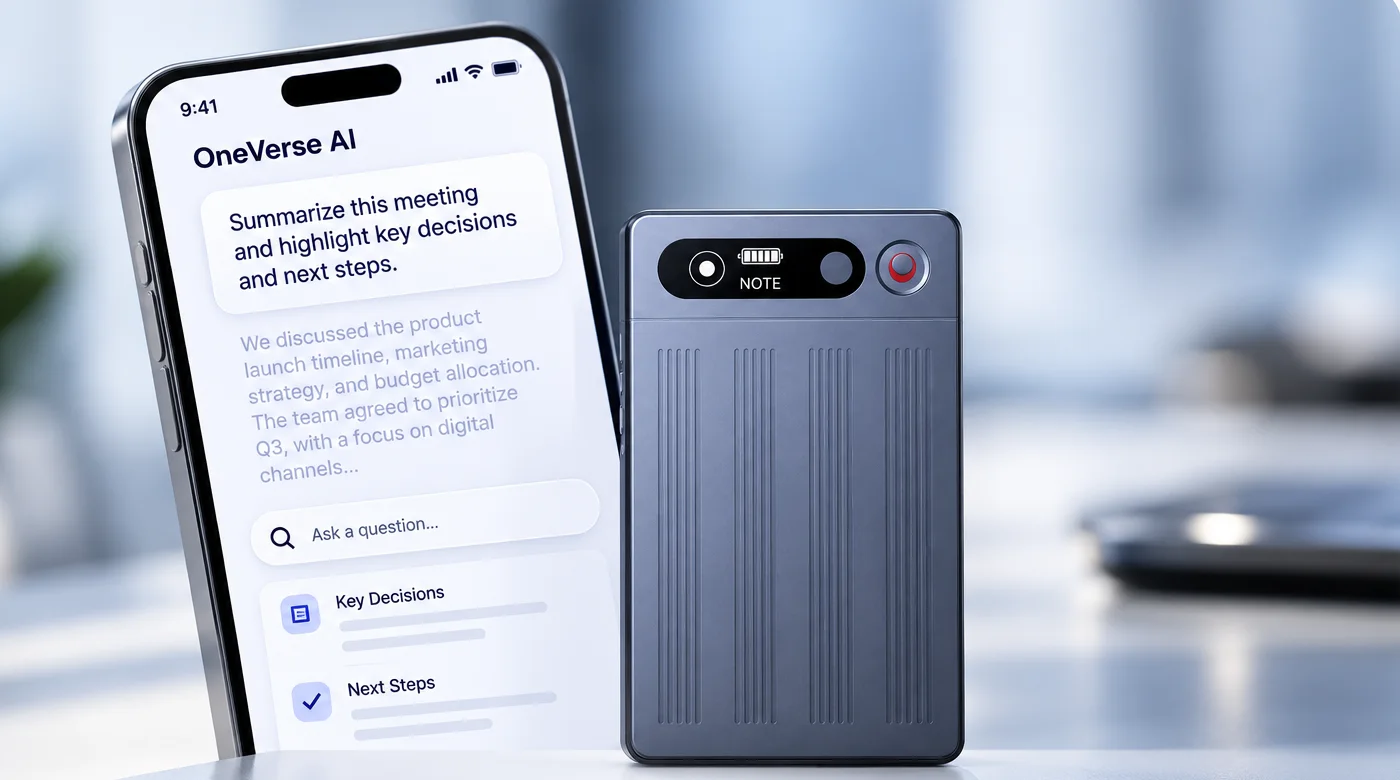
OneVerse Device
Dedicated AI recording devices for employees who participate in important client, field, interview, review and internal business conversations.
Personal AI02
OneVerse App
Every user gets their recordings, transcripts, summaries and the ability to ask AI questions about their authorised conversations.
Organisation03
OneVerse Work
A shared organisational layer where authorised teams and leaders can access conversations, summaries and intelligence across the organisation.
OneVerse captures the conversation. OneVerse Work turns it into organisational intelligence.
How it works
From conversation to company intelligence.
- 1
Capture
Client meetings, physical meetings, interviews, reviews, site visits and important internal discussions.
- 2
Understand
Recording → transcript → AI summary → decisions → action items.
- 3
Organise
Route conversations into the right employee, department, project, client or workspace.
- 4
Know
Leadership sees what matters across authorised organisational conversations from one place.
- 5
Ask
Instead of searching through meetings, ask OneVerse Work in natural language.
Capture anywhere
Business doesn't only happen on video calls.
Boardrooms, client offices, site visits and phone calls — one switch on the device decides what it captures.
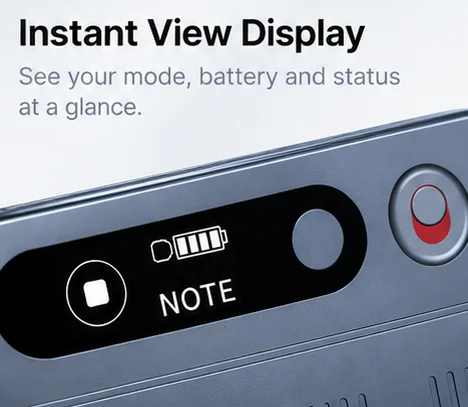
 NOTE MODE
In-person meetings
Place it on the table in client offices, conference rooms, interviews and site visits. Ambience mode captures the whole room.
 CALL MODE
Phone calls
Flip to call mode for client, vendor and candidate calls — so the conversations that never reach a meeting room are kept too.
The hardware
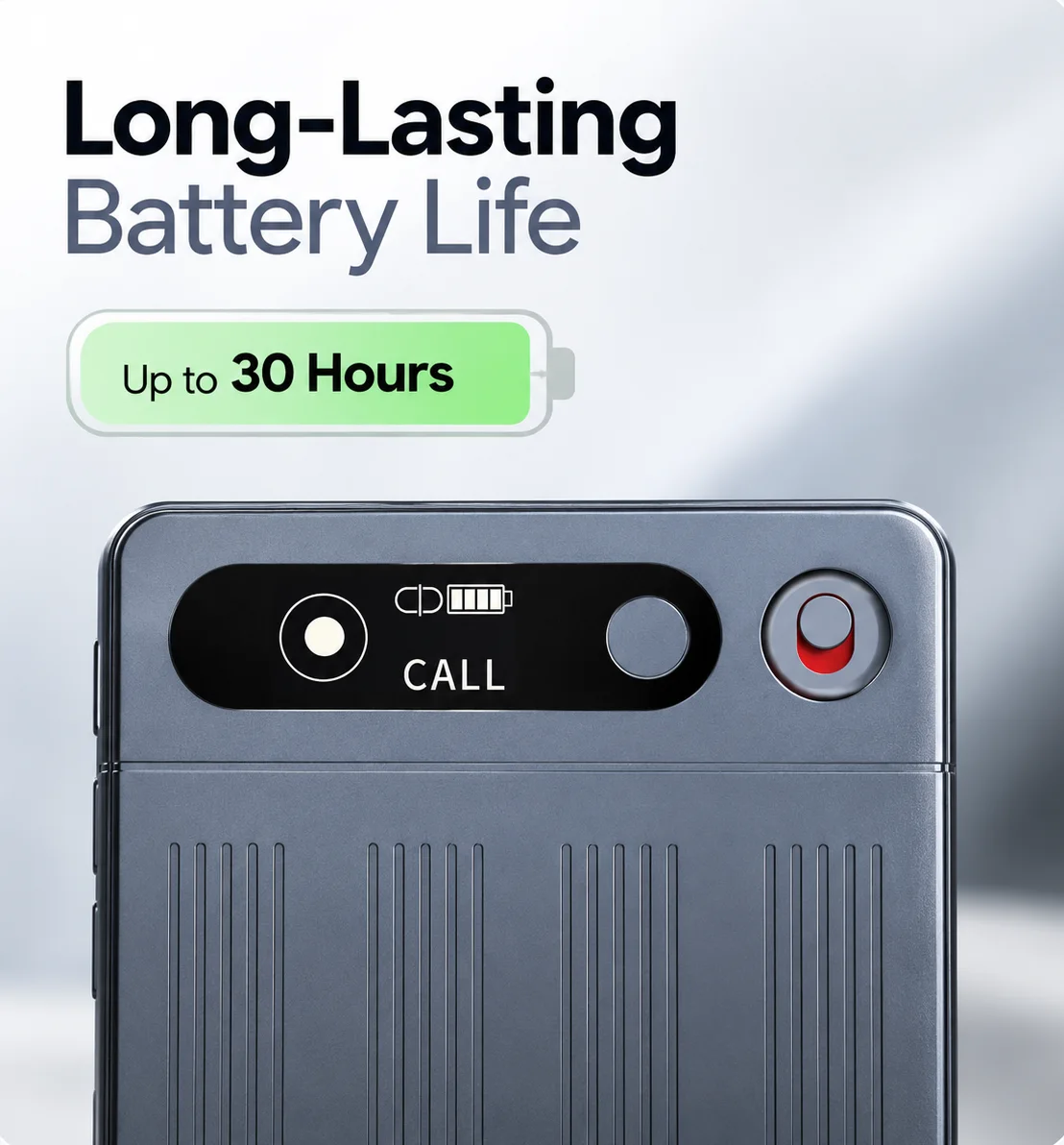
Small enough to carry into every room. Built to last the whole day.
86 × 54
mm · credit-card size
2 modes
NOTE for meetings, CALL for calls
App sync
recordings land in the OneVerse app


Leadership dashboard
Your organisation. One intelligent dashboard.
Organisation Overview
Today · all authorised workspaces
0
meetings captured
0
AI summaries ready
0
decisions surfaced
0
teams active
Today's brief
Ask OneVerse Work
What were the biggest customer objections today?
↳ Sources: 5 authorised meeting summaries
Illustrative dashboard · click a workspace to explore
Ask your organisation
Don't search through meetings. Just ask.
OneVerse Work searches the authorised organisational conversation context available to you and helps surface the answer — with a path back to the source conversation.
Source-linked organisational memory
Every important insight can lead back to the relevant summary, transcript or source recording.
Ask OneVerse Work
Searching authorised organisational context
Sales use case
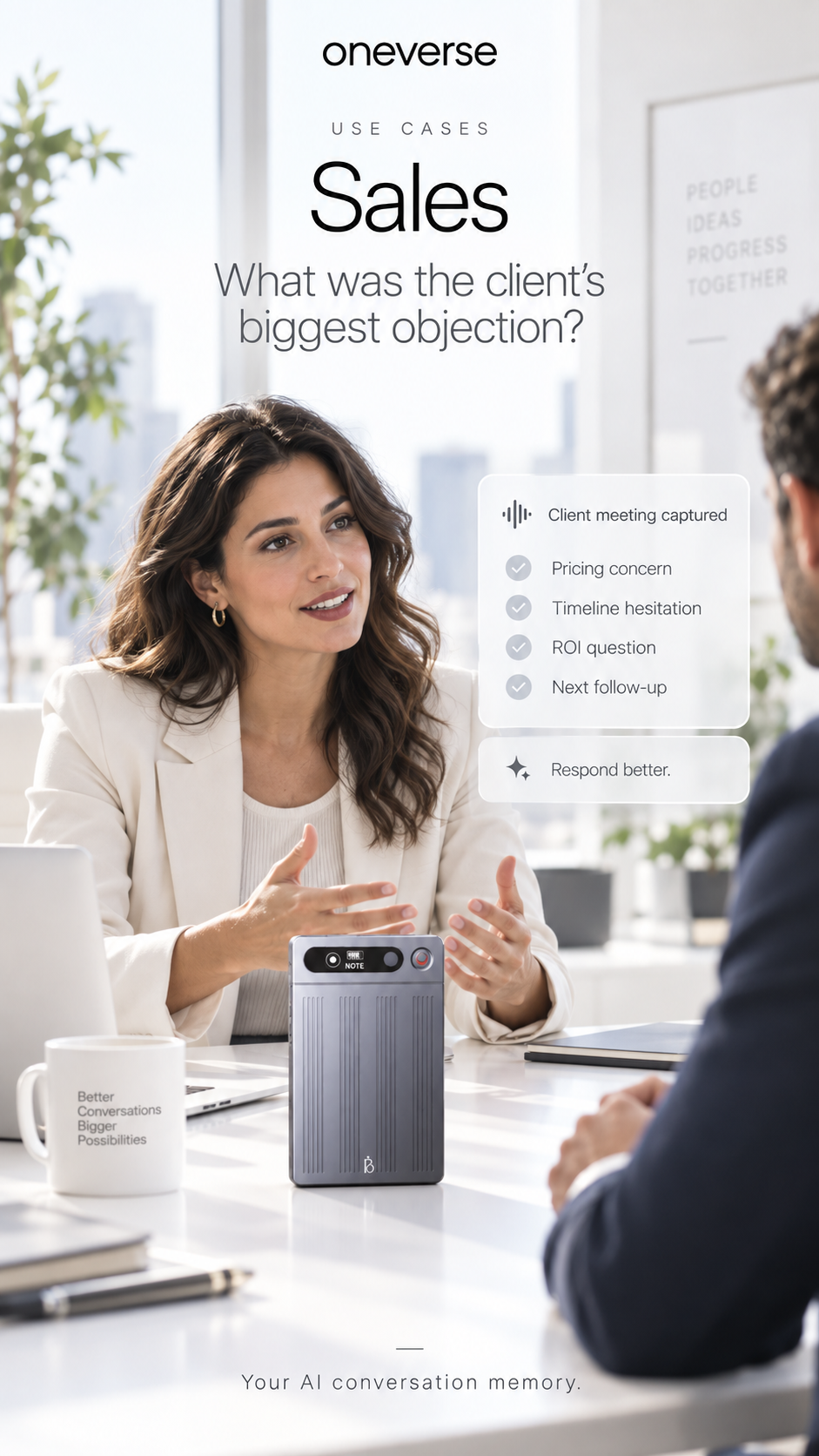
Your sales team is everywhere. Now you can be too.
Your salespeople may have dozens of customer conversations every day. OneVerse Work helps leadership understand what happened without attending every meeting.
“Your team meets the customer. You stay connected to what was discussed.”
Across the organisation
Every important conversation becomes usable context.
01
HR
Turn authorised interviews and hiring conversations into searchable recruiting context.
- Candidate expectations
- Joining concerns
- Interview summaries
- Recurring hiring patterns
02
Operations
Capture the decisions and blockers that usually disappear after a review.
- Management reviews
- Project meetings
- Vendor conversations
- Site discussions
03
Leadership
Retain the why behind important decisions and priorities.
- Key decisions
- Priorities
- Action owners
- Next moves
Shared workspaces
Every team. Every project. Its own memory.
Structure conversation memory around the way your company actually works.
People may change. The organisational context stays.
Sales
Customer meetings + account conversations
0
conversations
HR
Interviews + hiring conversations
0
conversations
ABC Ltd
Everything discussed with one client
0
conversations
Project Alpha
All important project discussions
0
conversations
Three levels of intelligence
Personal when it should be. Shared when it needs to be.
Level 01
My Space
The employee's own authorised recordings, transcripts, summaries and AI workspace.
Level 02
Team Space
Shared conversations for departments, projects, clients and selected teams.
Level 03
Organisation View
Leadership visibility across authorised organisational conversations and intelligence.
Core capabilities
Everything your organisation needs to remember what was discussed.
Privacy + control
Visibility with control.
OneVerse Work is designed as organisational knowledge infrastructure — with clear recording policies, roles and permissions.
Your organisation defines the rules.
Deployment
Start with one team. Expand across the organisation.
- 01
Choose a department
Sales, HR, Operations or Leadership.
- 02
Identify users
Choose employees who should carry OneVerse.
- 03
Define meetings
Agree which business conversations should be captured.
- 04
Configure access
Set users, workspaces and permissions.
- 05
Train the team
Onboard devices and recording SOPs.
- 06
Expand
Review value and roll out to more teams.
FAQ
Questions before you start.
No. Devices can be deployed to employees and teams whose conversations are important to capture.
Commercial model
Built around your organisation.
We first understand your workflows, users and expected recording usage — then recommend the right deployment and subscription structure.
OneVerse Hardware
Devices deployed based on the number of team members and workflows.
OneVerse Work Subscription
Structured around users, usage, organisational requirements and deployment scope.
OneVerse Work
You can't attend every meeting. But you can know what matters.
Give your teams OneVerse. Connect their important conversations through OneVerse Work. Build an organisation that remembers what was discussed, decided and committed.